
Page Focus
Practical Hints & Tips
Practical Tips is a starter guide for reducing digital clutter without a full rebuild.
Each tip is small, repeatable, and designed to improve control quickly.
Everything listed here can be done in-house, and the guidance is shared openly. Waylight offers direct support for organisations that want the same outcomes delivered for them. Demonstration builds are available on the Workbench.
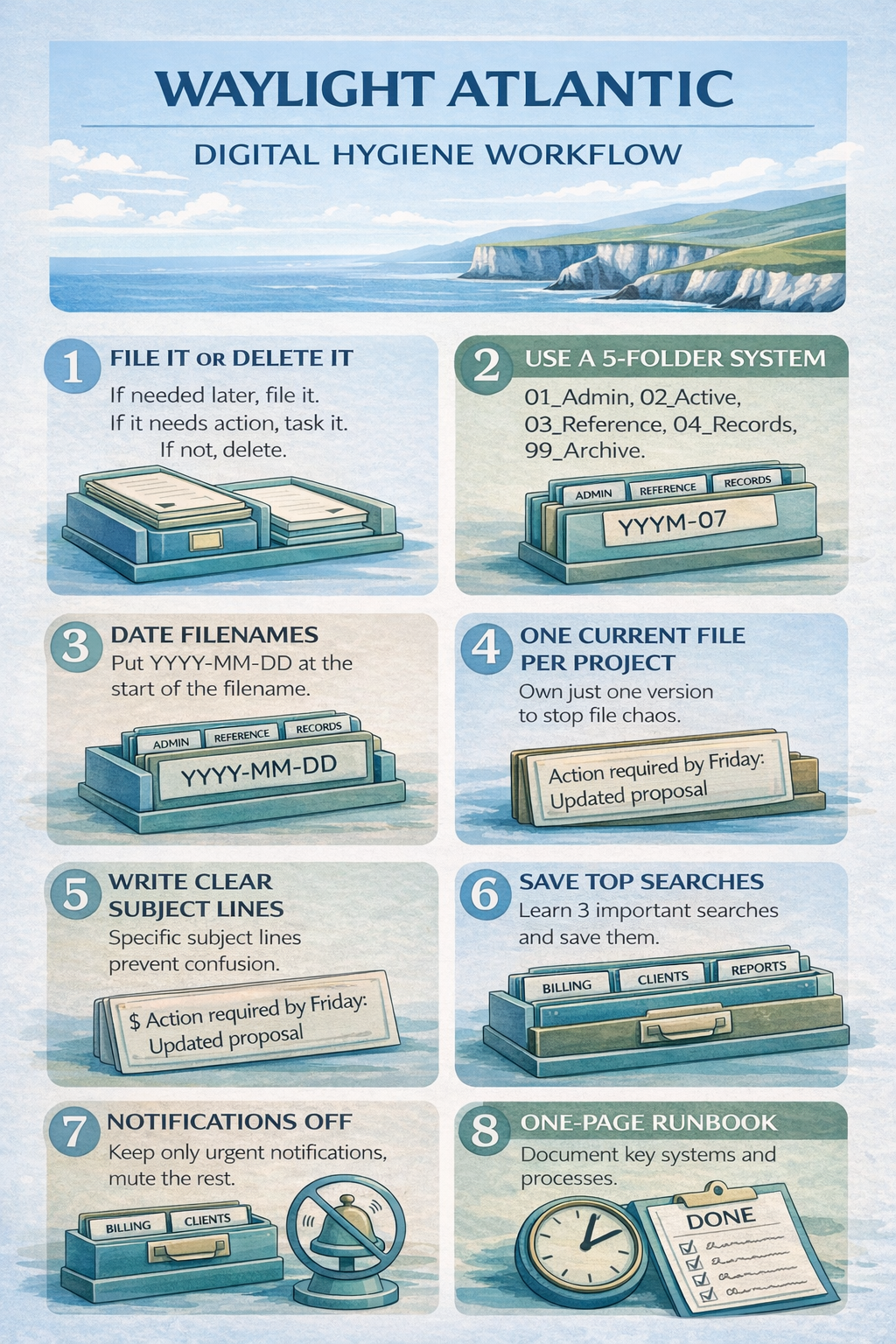
Practical Hints & Tips
Small habits that prevent digital chaos
Start with one shared folder spine and keep it stable. Avoid creating new top-level folders each week.
Use short, consistent naming rules so files can be found quickly by anyone, not just the person who created them.
Apply simple inbox triage rules daily: action, archive, or delete. This keeps email from becoming a second filing cabinet.
Run regular tidy cycles to archive completed work and keep live workspaces focused on current activity.
Articles Desk
Practical website guidance for small organisations
Many small organisations struggle with websites because the advice online is often written for developers or large companies.
The articles here are written in plain English and focus on the practical questions people actually ask: how much a website should cost, what pages it needs, who should control the domain name, and how to keep everything organised over time.
New articles are added regularly and are intended to help small businesses, churches, charities and community groups make calm, sensible decisions about their websites.
- Website cost and ownership How website costs work in the UK and what organisations should actually budget for.
- Simple website structure What pages most organisations really need, and how to keep websites clear and manageable.
- Churches and charities Guidance for volunteer-run organisations that need simple, reliable websites.
- Digital organisation Practical habits for managing files, domains, emails and website records properly.
Page Summary
Practical Hints & Tips
One folder spine
Keep one shared top-level structure so people always know where work belongs.
Consistent naming
Use short, repeatable file names that include purpose and date where useful.
Inbox discipline
Process messages with simple rules instead of storing everything in the inbox.
Archive routinely
Move completed material out of live spaces to keep active work clean and manageable.